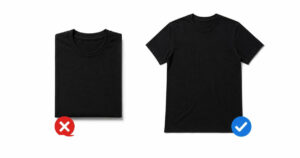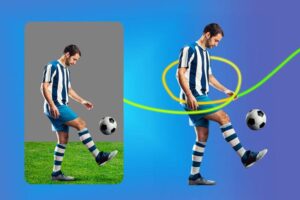


Did you know what are those mini mistakes that play a big role in showcasing high-quality clothing products as unprofessional? According to my point of view, lopsided hems, uneven sleeves, crooked collars, and many other similar details are the main reason behind it. Hmm…it is a great skill to get perfect symmetrical apparel photos, especially for ecommerce. Actually, it is the only way that differentiates amateur images from those professional shots that works perfectly as sales tools.
You need to understand that garments never behave like stiff products. So, we have many proven tips, tricks, and strategies that will really help you. Interestingly, they apply to all three important stages. First, you have the prep work. Second is the actual product photo shoot. Finally, you adjust in post-production. As a result, you can easily make balanced apparel images. Also, these professional photos will definitely boost your sales.
So…let’s follow the footsteps of this guide to become a pro expert in symmetrical apparel photography.
Here we go!
What is Symmetry in Apparel Photography?
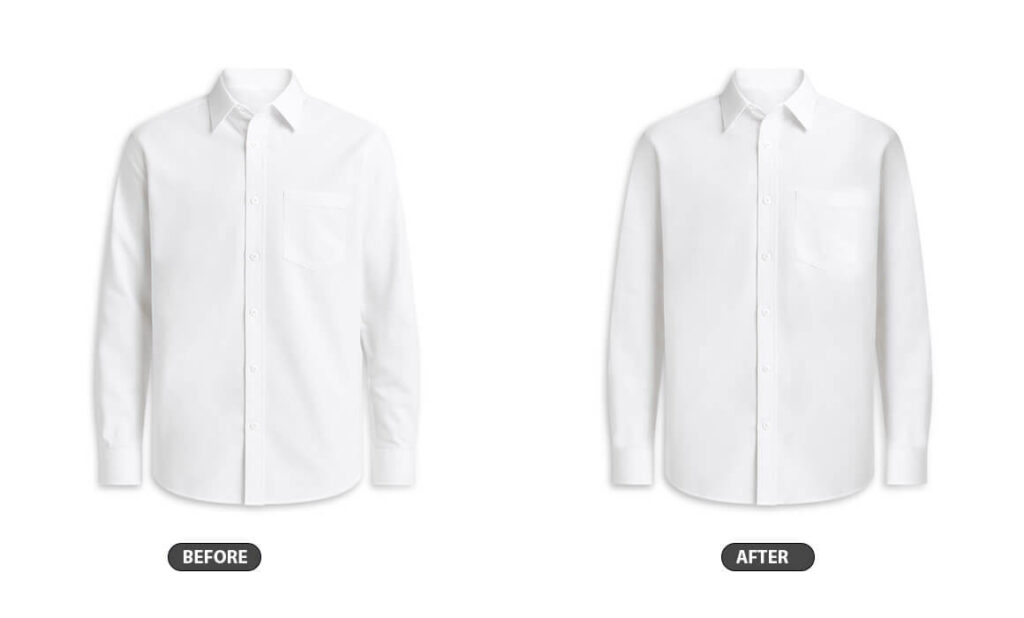
Symmetry in apparel photography refers to the balanced arrangement of visual elements. As a result, it creates a sense of equilibrium and harmony in the image. It involves placing the garment or model in a way that one half of the photograph mirrors the other, either perfectly (formal symmetry) or conceptually (approximate symmetry). This technique is highly effective in presenting clothing clearly and elegantly. It draws the viewer’s eye directly to the product and conveys a feeling of order and professionalism.
If you utilize symmetry, it can significantly enhance the aesthetic appeal of fashion images. They become more visually pleasing and memorable. Photographers get this by carefully considering composition, framing, and staging. They use props, architectural lines, or the pose of the model to establish the mirror-like balance. It is a powerful compositional tool that helps to stabilize the visual experience. It guarantees the apparel is showcased with impact and sophistication.
Although specific brand campaigns shift frequently, luxury and high-fashion brands like Chanel and Dior are famous to use symmetrical balance. According to the clipping path overview, this formal and ordered composition shares a sense of timelessness, authority, and high quality. It reinforces their premium positioning. They get this through effectively placed models, props, and architectural backdrops.
On the other hand, e-commerce and catalog photography for brands like Zara or ASOS also frequently use vertical symmetry to showcase the product itself clearly. This is less about high-concept artistry and more about visual consistency and professionalism. It ensures the garment is centered and displayed evenly. It helps customers trust the product presentation. After all, it is essential for boosting online sales, enriching customer engagement, and minimizing returns.
In the apparel photo editing industry, achieving balance of apparel image is crucial, and this involves precise techniques like Skin Retouching to smooth out skin tone, remove eye bags, skin blemishes, and all moles, including big moles and sun spots. Static electricity and fuzzy hair can also be corrected. Vector conversion and color change can enhance garment features and clothing fit. By creating responsive images, brands can ensure a seamless shopping experience, ultimately driving customer satisfaction and sales.
Why Does Balance Matter in Apparel Product Photography?
Honestly speaking, good balance in apparel images simply looks great. Put simply, our minds enjoy seeing things in perfect order. Just consider a display of perfectly folded shirts. Similarly, you can think of a row of aligned books.
So, you feel satisfied and internally happy after seeing this stuff in an order. Furthermore, I want you to imagine a tall building. Here, every window is straight except one. In this case, you will quickly notice that odd window right away.
The same idea holds true for your product images for ecommerce. If clothing shots look crooked, unbalanced, or asymmetrical, your shoppers will immediately notice it. That’s why it is said that unbalanced or uneven photos are not good. Moreover, balance builds trust. Therefore, this trust will help raise your sales.
Pre-Shoot Preparation to Set Up for Symmetry
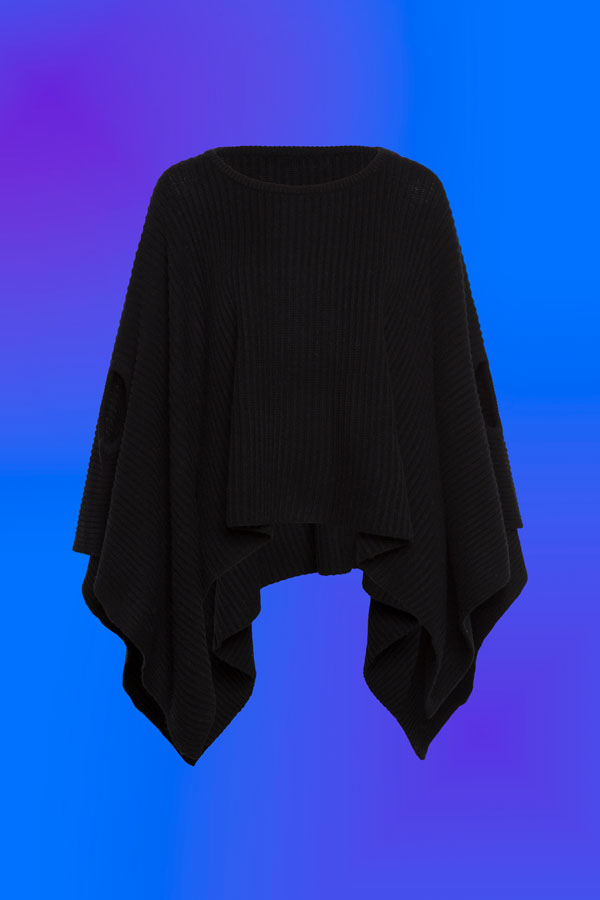
Proper preparation saves you time later. In simple words, it cuts down many hours of symmetrical photo editing. Also, it helps you get a balanced look (as we have mentioned before). Furthermore, you will have a professional look right from the start.
Select the Right Garments and Prep:
The first thing you need to take care during pre-shoot preparation is to choose the right garments and prep.
- Pick Quality Samples: You ought to start by selecting only quality samples. Seriously, pick the best clothes you have. After all, you want items in excellent condition. So, try to avoid things with permanent creases or stretched material. Furthermore, do not try any damaged seams because these small flaws are just too difficult to fix later.
- Steam the Apparel Thoroughly: Next, steam everything thoroughly. You must remove all those wrinkles and creases before the apparel shoot. Plus, focus extra effort on sleeves. Collars and hems also need extra attention. After all, this is where unevenness shows up the most.
- Understand Your Material: Now, you ought to know your fabrics very well. Actually, thin material like silk needs delicate care. You may use small clips to keep its shape. But…just do not stretch it too much. Plus, heavier materials, such as denim, stay in shape better than silk. However, they 100% need proper steaming that helps further during the photo retouching stage.
- Arrange Details Evenly: Take time to perfectly place the buttons on the garment. Make sure all zippers are straight and aligned. In fact, any additional accessories need careful positioning. You ought to arrange these small details symmetrically. If you do this before the actual photo shoot, it will ensure a clean and balanced final photograph. This preparation saves your symmetrical photo editing effort.
- Check All Seam Alignment: Make sure the shoulder seams are perfectly placed. Also, verify that side seams and collar edges line up. This step will prevent getting uneven lines later. As we have mentioned before, proper seam placement is essential for symmetry.
Mannequin and Display Preparation
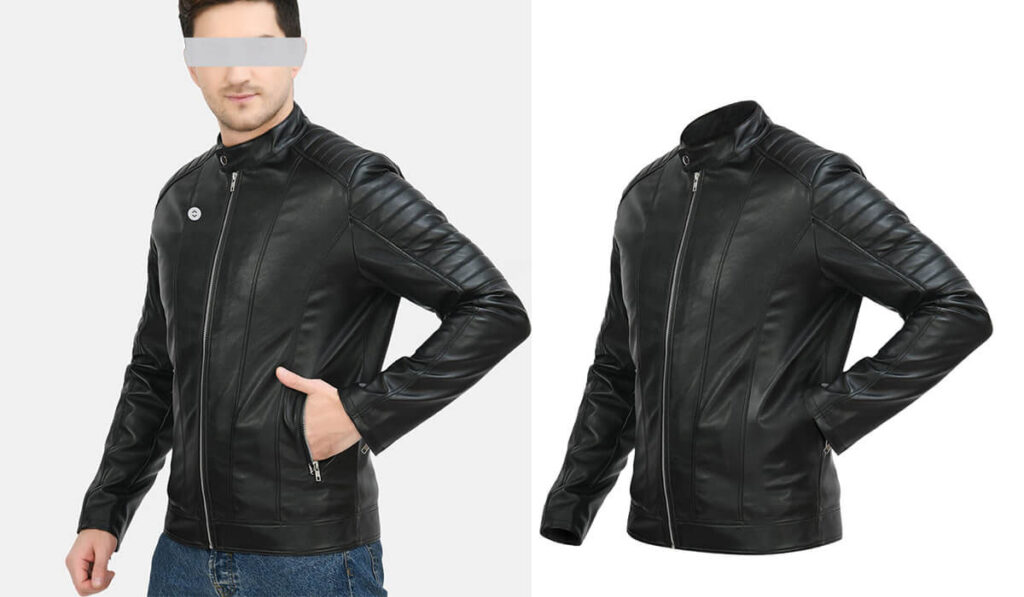
Now…we move on to getting your display models ready. Follow the tips given below.
- Give Importance to Right Sizing: First of all, you ought to choose the right sizing. For this purpose, you can select mannequins or even models that fit the clothes perfectly. Do not let the fabric stretch or bunch up. You always have the option to create a ghost mannequin later on.
- Mannequin Posture Check: Next, align the 3D mannequin straight. Position it so it faces right toward the camera. You should shoot straight-on for the main view. Or, you can use a small up or down angle. That’s it!
- Shaping Up Your Flat Shots: Add support if you are doing flat lays. In this case, you can use items like foam core boards. Batting also works well inside the apparels/clothes. This structure helps remove wrinkles. In short, it gives the garment shape for the picture.
- Add Dimension: You ought to add more dimensions too. Gently stuff the sleeves. Also, fill the main body sections with batting. This will create natural volume. The clothes will get a nice shape.
- Pin the invisible points: In addition to the above-mentioned tips, you ought to secure the fabric from the back side. For this purpose, use straight pins for Pinned/Hanging Apparel for this task. Moreover, this step will keep the draping symmetrical and neat.
To be honest, some garments or apparels will not look symmetrical no matter what you do. And that is perfectly fine. Still, you can apply all the other prep tips given above. Plus, use the shooting advice and try image masking and image editing techniques. All of this will ensure you still get high-quality photos.
Capturing Balanced Apparel Images During the Shoot
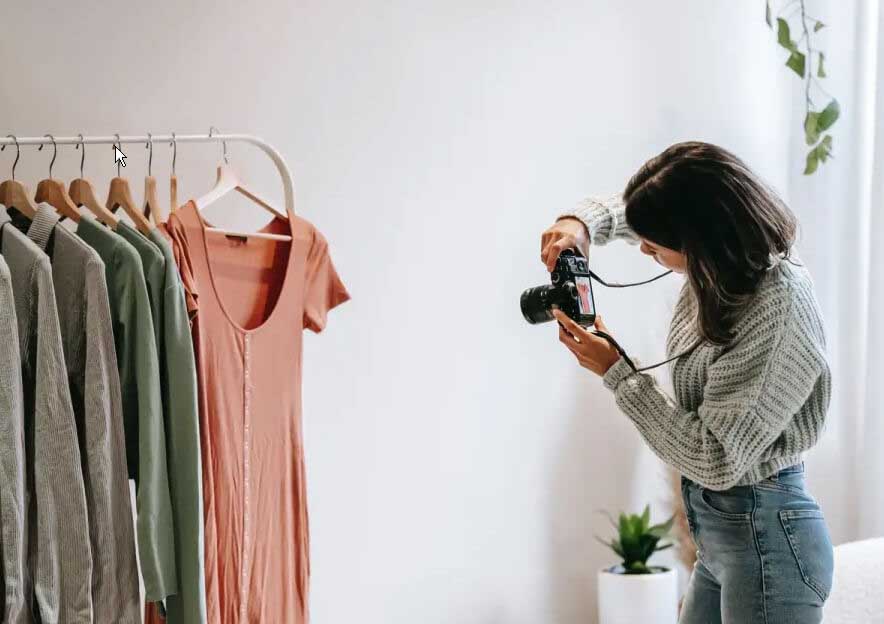
We all know that taking pictures and arranging items takes time. It is not quick work. Even teams with experts often only finish 10 apparels (or garments) per shoot day. However, dedicated studios usually process much more. They often use specialized workflows to shoot more and more items in a day.
Camera Settings to Get Optimal Symmetry
Now, let us talk about the camera itself. Getting your gear set up correctly is essential to have optimal symmetrical apparel photos. These simple adjustments really help capture that perfect symmetry right from the start. Let’s follow these camera settings to do it right.
- Adjust Your Camera’s Aperture for Balance: First of all, you ought to keep your aperture consistent. For this, try shooting around the f/8 to f/11 range. This specific setting guarantees the entire piece of clothing stays sharp. You want a crisp focus from the very front edge all the way through the back.
- Select the Right Lens: You should go with longer focal lengths. Stick to lenses like 50mm, 85mm, or similar. This setup really reduces distortion issues. Otherwise, the clothing can end up looking lopsided or stretched. Moreover, zoom lenses become very useful helpers if your studio space is tight.
- Get Your Angles Spot-On: Always position the camera right in the middle. Keep it completely level, sitting dead-center. Make sure the camera is directly above the product for those shots looking straight down. This specific action stops everything from looking tilted or skewed
- Stabilize Your Shot: It is absolutely important to use a sturdy tripod. This piece of gear is essential for several reasons. It guarantees consistent picture framing every single time. Moreover, it ensures your images are sharp. Plus, it completely eliminates camera shake.
- Setting Up Even Lighting: You ought to set up even lighting. Use two light sources, which is ideal for this. Position one light on each side of the product. This arrangement helps get rid of uneven shadows. Furthermore, it adjusts the light angles. However, this depends entirely on how thick the fabric is.
- Using In-Camera Guides: Always enable the camera’s grid lines feature. Use the overlay lines to align the garments neatly within your picture frame. Plus, think about shooting tethered. This lets you link the camera to a screen. Seeing the shots live helps you fix problems right when they happen.
- Locking Down the Composition: You need to frame your picture precisely right from the beginning. If you plan to remove the background later, that’s fine. Similarly, you can change the canvas size later if you want a drop shadow. Just ensure you have captured the entire product fully. This gives you ample space and material to work with during post-production.
Some Styling Techniques and Tactics for Symmetry
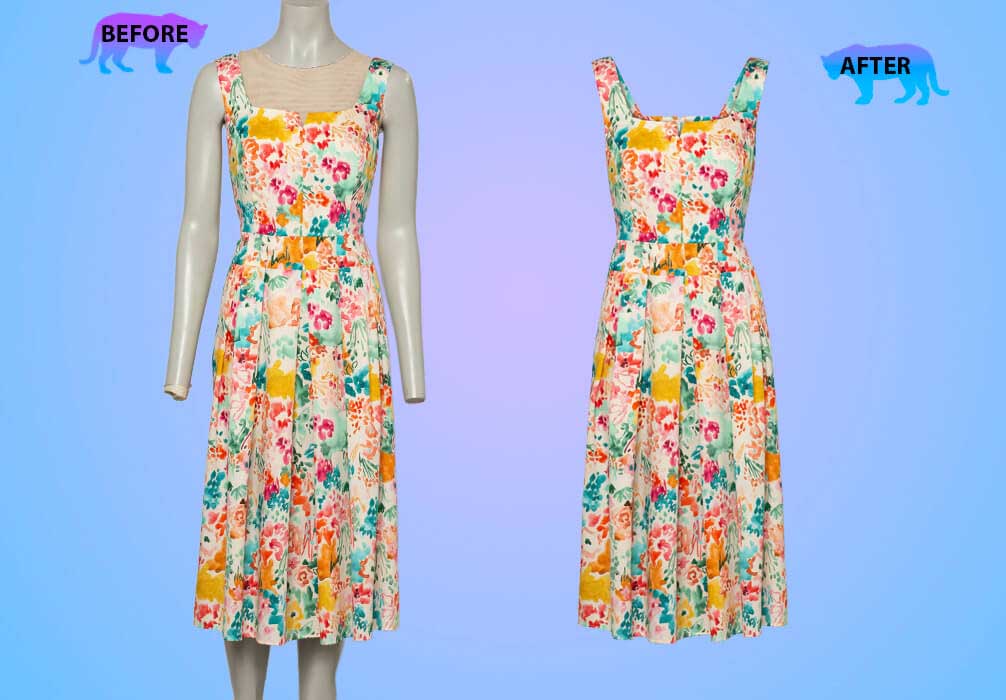
Various clothes look best with specific arm positions. Some garments appear better with the hands near the body. On the other hand, others benefit from arms bent slightly outward. Whatever pose you select, guarantee both sides are an exact match. This creates symmetrical posing. If you need more styling techniques, walk through below.
- You can use simple tools like pins, clips, and even tape. Remember to place these items behind the clothing/apparel piece. These retouching techniques will help you have that perfect drape. In addition to that, always make sure they remain completely invisible to the camera.
- Make small adjustments between pictures. Try to avoid doing any major repositioning or symmetrical photo editing. Honestly, tiny tweaks are much better than large movements to get rid of bigger problems that are difficult to resolve.
- Inspect each image the moment you take it. This allows you to spot mistakes instantly. Now, you can correct them before setting up the next shot. Actually, what appears even to your eyes may show up tilted in the finished picture. This technique is essential to have symmetrical apparel photos for ecommerce.
- Eliminate unnatural folds. Smooth out any overly stiff or unnatural looking folds. Use tissue paper or small stuffing inside corners. This makes the fabric drape more naturally and symmetrically.
Fine-Tuning Your Symmetry During Post-Production
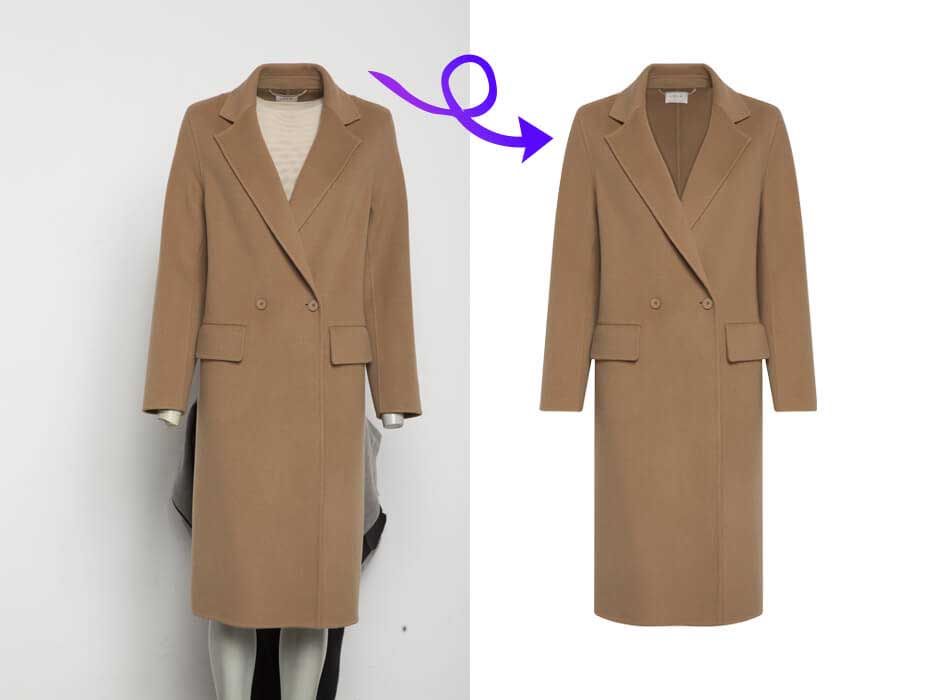
Apparel photos need balance fixes and flat lay arrangements with perfect shooting. Good editing and image enhancement corrects small, natural, and traditional flaws. It does not make products look fake. In fact, it matches both sides well. Never just copy and paste half a garment.
Easy Symmetry Fixes for Everyone
Here are a few unique and basic symmetry edits that anyone can do easily:
- First, crop and straighten your photo. You can use the grid overlays in your editing program. These guides help line up the clothes exactly within the frame. Also, you can easily fix any slight camera tilt.
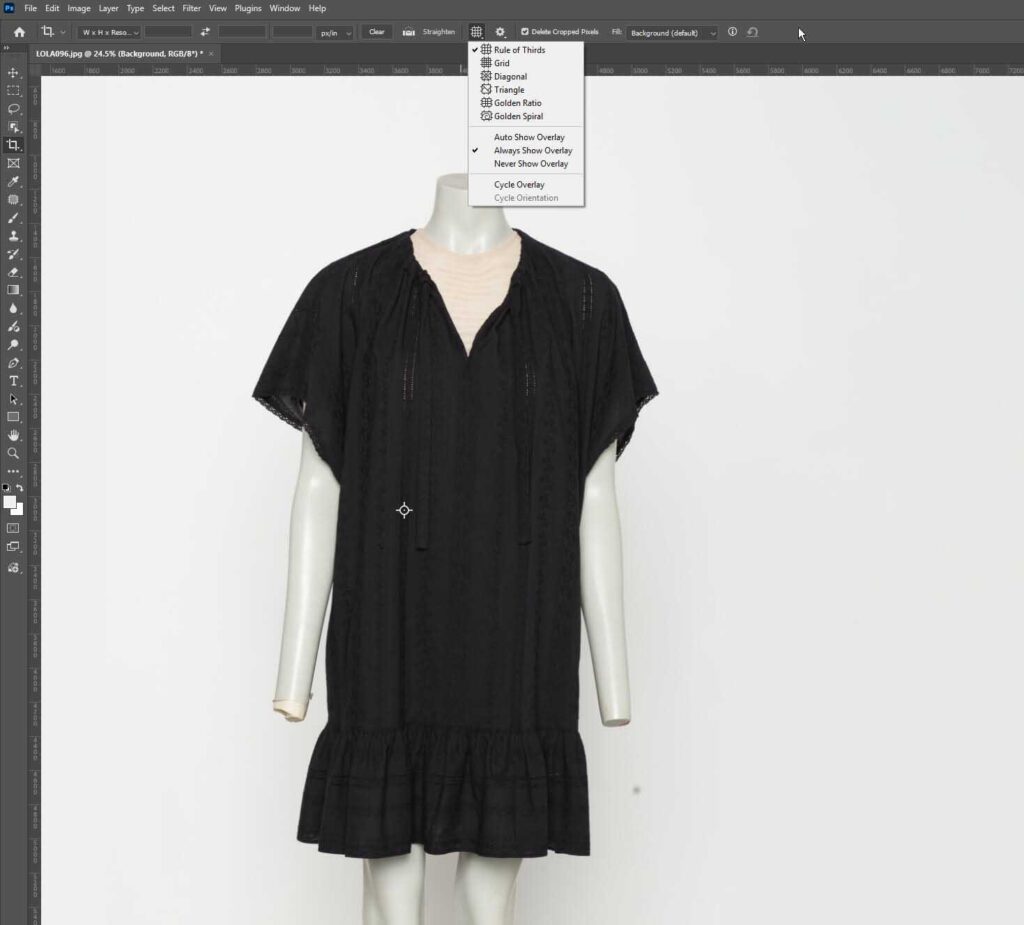
If you are using Adobe Photoshop, you have great options. You can select Rule of Thirds or Triangle grids. Both are awesome for centering products fast.
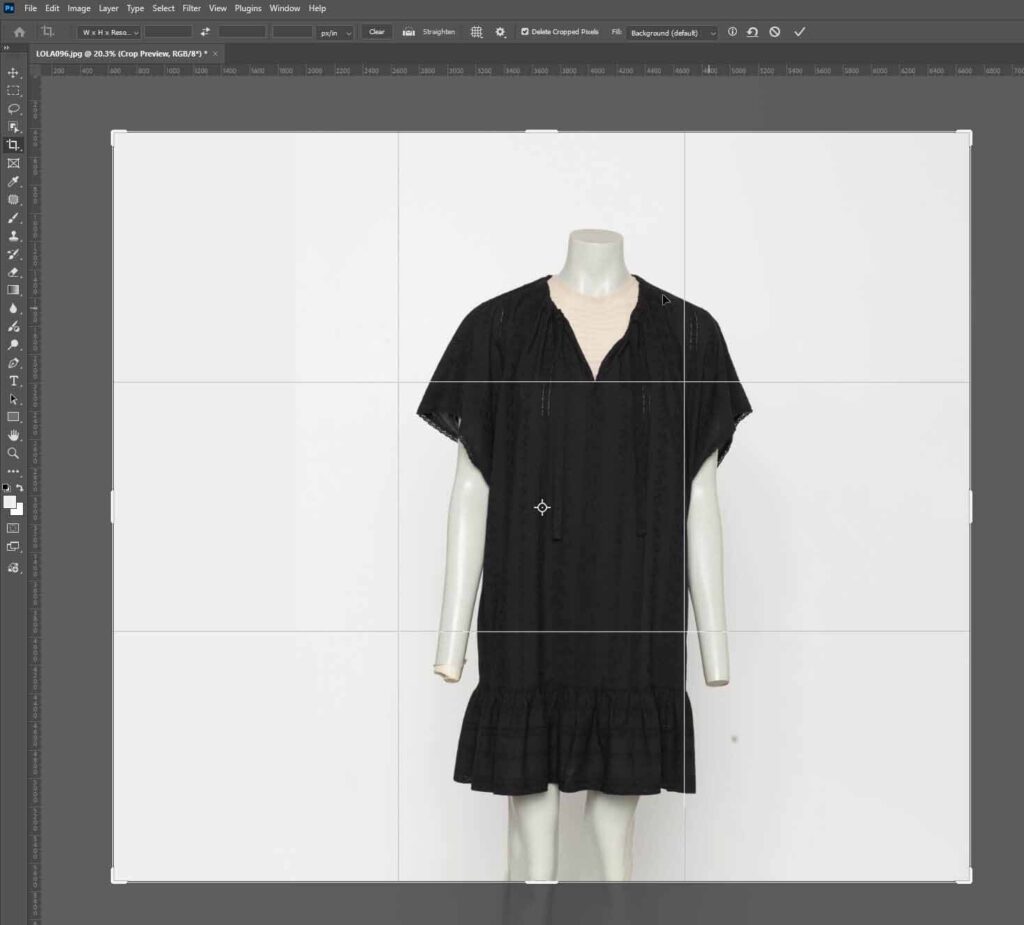
Moreover, the standard Grids setting provides the most precision for a truly symmetrical look. This step is essential before any heavy retouching begins. You can say that it’s the best retouching technique.
- You should make minor adjustments now. Fix those small imperfections using basic retouching tools. This includes uneven hems, unironed shoulders, and so on. Similarly, correct any collars that look slightly crooked.
- You must deal with wrinkles. Symmetrical balance is impossible on creased fabric. Ensure you smooth away any noticeable folds or lines. Getting rid of these creases is a non-negotiable step for clean photos.
Professional Symmetry Apparel Editing Techniques
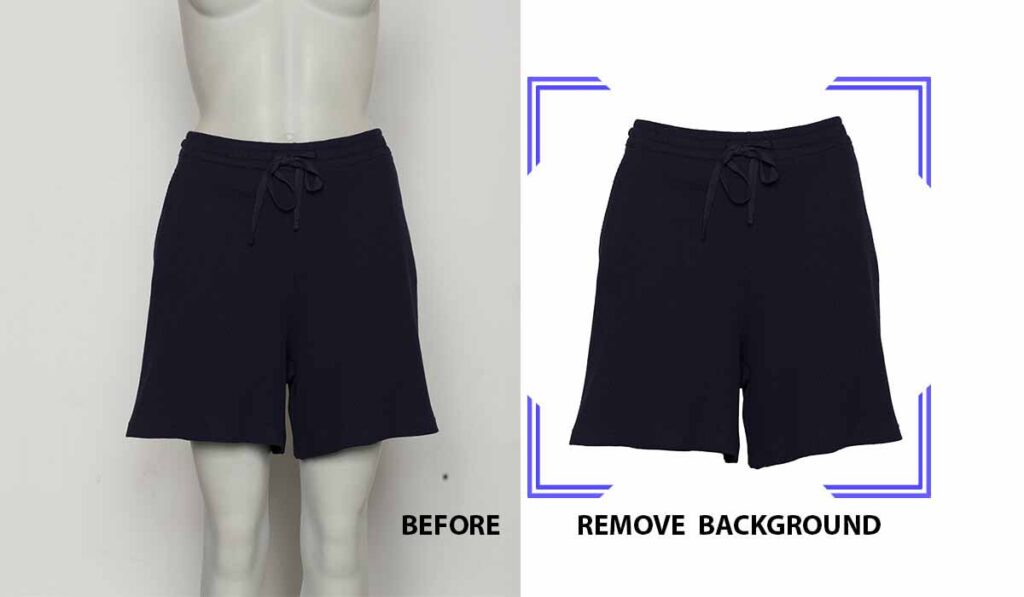
Professional symmetry edits require complex work. They involve very precise adjustments like those involved in layer masks. So, these techniques demand some advanced skills. Let’s see how professionals do apparel photo editing to get symmetry for ecommerce stores and businesses:
- Sleeve Alignment: Perfecting sleeve alignment is critical for a professional apparel photo editor. Here…you ought to unify the length measurement. Simultaneously, ensure that cuff positioning is identical on both arms. Also, guarantee the fabric’s draping matches precisely from the left side to the right.
- Detail Alignment: Now, focus on perfect detail alignment. This means positioning every pocket accurately. Buttons and zippers must mirror each other precisely. Make sure decorative elements are exact reflections. Thus, every small component demands identical placement.
- Curve Refinement: Pay utmost attention to curve refinement. Carefully smooth the necklines and armholes. At the same time, balance out the hemlines. This technique guarantees you have perfectly uniform and symmetrical arcs on all curved areas. After all, achieving clean curves elevates the final presentation. You can get neck joint services from our team as well. We use liquify tools, Artificial light, grid systems, studio lighting, and much more in our symmetrical services.
- Side-edge corrections: In side-edge correction technique, you must verify the garment edges form parallel lines. This also means maintaining a consistent silhouette throughout the piece. It is key for professional-grade photography to achieve this strict uniformity.
- Try 3D Appearance: To enhance the product’s 3D appearance, a 360-degree 3D spin is often used in photography. Proper camera configuration and a Grey Card can help achieve accurate colors and lighting.
These edits mean you are reshaping the fabric digitally for online shoppers. It is important to maintain a realistic texture in a product catalog to build brand identity, have high conversion rates, and have more visual harmony. You must also preserve the natural draping appearance.
Mobile Photography Techniques for Symmetrical Apparel Shots
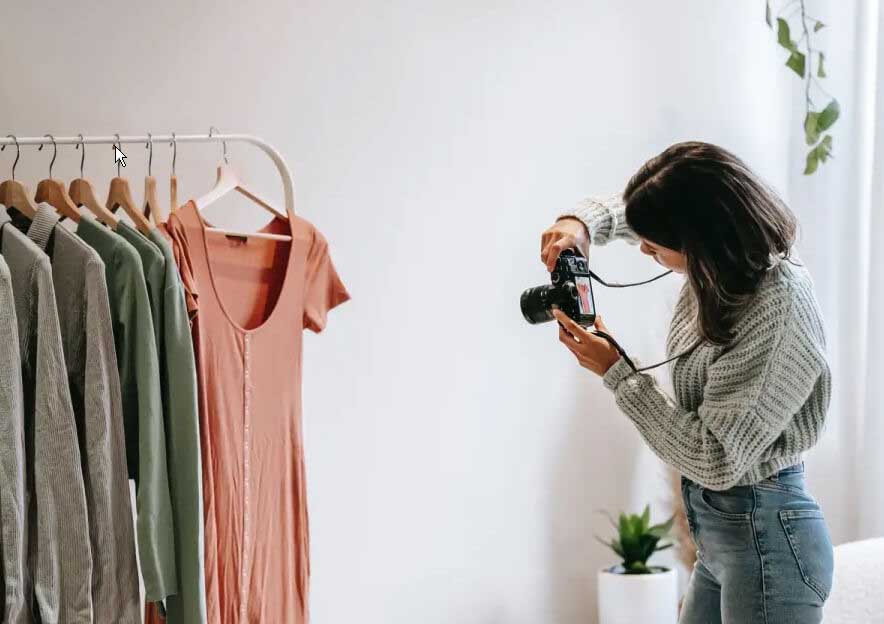
The rise of smartphone cameras has changed apparel photography. Now, mobile devices are a real choice for getting symmetrical apparel images. More importantly, modern phones include great features and functionalities that help you create perfect symmetrical compositions. Plus, they keep the flexibility you need. This is true for many different photo shoots.
Your smartphone camera has built in grid overlays. Also, it features alignment guides. These tools give you instant visual trust and visual aesthetics. They show you exactly where to position things for symmetry and how to get marketplace hero images. You can use these digital tools to remove guesswork.
In addition to that, they guarantee consistent results. This is true for all your product photo shots. However, you need to first enable these features, especially the Color Cast. You can find them in your camera settings and use them all the time for every shoot.
Some phone apps give you manual camera controls. This is great for your symmetry goals. You can perfectly adjust the exposure. Focus and white balance can be fine tuned too. These settings help keep all your symmetrical photos very consistent. They also keep your images looking totally professional.
When you shoot different views of one garment, lock those settings. Lock the exposure and the focus right away. This stops small shifts from happening. Those small variations are what really break a beautiful symmetrical presentation.
You can add many accessories to your smartphone. Things like small tripods and remote triggers really help. Clip-on lighting expands your mobile photography a lot. These additions are quite affordable too.
They give you the stability and control you need. In short, it helps you get professional symmetrical results. Just think about lighting made just for smartphones. They clip right onto your device. As a result, it gives you portable and consistent illumination every time.
If you use a laptop or computer, browser extensions are very helpful to do photo editing. If you use browser extensions, ad blockers, loading challenge removers, web traffic monitors, cache and cookie cleaners, and privacy extensions, they can streamline your photo editing workflow on your laptop or computer.
Doing It Yourself (DIY) vs. Hiring Help
Honestly, every symmetry problem can not be fixed in the apparel photo editing stage. If you have major fabric distortion, you cannot save it later. The same goes for non-mirrored patterns. These significant issues ought to be corrected while you are shooting.
This is because no amount of post-production work can really create symmetry that was not captured by the camera initially. You are simply trying to perfect the image, not manufacture a new one. Remember this rule to save yourself hours of wasted editing time later on.
However, there are some garments (such as the Omnes patterned shirt) that naturally feature balanced structure but intentionally asymmetrical designs. For these specific pieces, your goal during the shoot is simply getting the overall shape correct. Afterward, you focus on simple clean-up.
You can easily handle fixes like applying the symmetrical ghost mannequin effect or adjusting the lighting balance. Moreover, worry about smoothing out any wrinkles during post-production. You do not try to force symmetry onto a design that is naturally uneven. This saves significant time in your apparel editing workflow.
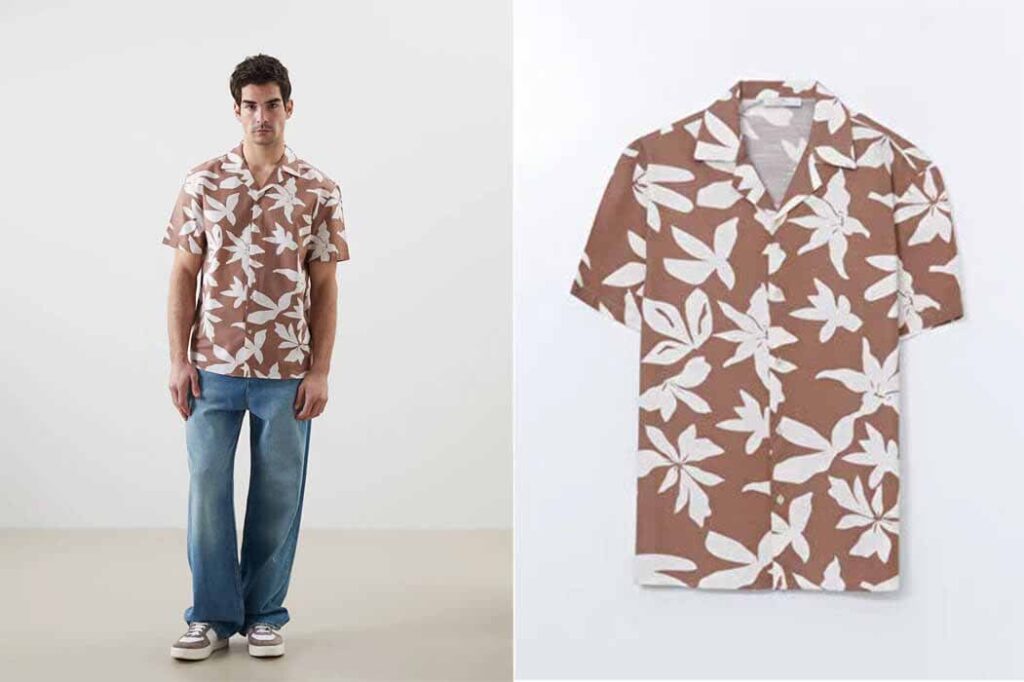
Simple edits, like cropping and straightening, are great DIY tasks for you. However, complex symmetry corrections require many hours per picture. This time adds up for busy photographers and e-commerce companies. That’s why professional editing services usually cost less than your internal labor. Plus, they consistently deliver much better final results.
You can consider outsourcing the heavy lifting to improve both efficiency and quality. Moreover, marketplaces like Amazon demand high quality images. Professional symmetry editing provides that polished final result. This level of finish is something DIY edits often cannot fully achieve.
Frequently Asked Questions on Symmetrical Apparel Photos for Ecommerce
How does using a gray card help in achieving symmetrical and consistent apparel photos?
If you are using a gray card, it is a quick way to ensure color correction accuracy and consistency across all your apparel images. After all, it is vital for a professional and symmetrical presentation. You can take a reference photo of the gray card in the same lighting as your product before you begin shooting.
In post-production, you can use this reference to set a perfect white balance. It ensures that the whites are pure, and the colors are true-to-life and identical from one shot to the next. This prevents subtle color shifts that can throw off the overall visual balance and professionalism of your e-commerce product catalog.
What is the “Rule of Odds,” and can it be used effectively in apparel photography for e-commerce?
The Rule of Odds suggests that an odd number of subjects in an image (like three or five) is more visually appealing and dynamic than an even number. In e-commerce apparel photography, this is usually applied when shooting groups of accessories or clothing items together, rather than a single garment. Remember, the primary product shot should be perfectly centered and symmetrical. Still, the Rule of Odds is useful for lifestyle or grouping shots. It helps create a balanced yet energetic composition that draws the viewer’s eye into the scene while maintaining a feeling of organized balance.
Should I always use pure white as the background color for symmetrical apparel photos?
It is said that a pure white background (RGB 255, 255, 255) is the industry standard for most e-commerce platforms (like Amazon and Shopify). But, it is not always mandatory. The key is consistency and ensuring the background removal doesn’t distract from the product.
If your brand uses a light gray or off-white to complement a specific fabric or design aesthetic, that is acceptable. But, you ought to apply it symmetrically to every image in the collection. A slight off-white can sometimes prevent a white garment from looking washed out. So…be cautious as pure white backgrounds often make post-production easier!
What are the legal risks to have symmetry by copying and flipping half of a garment in post-production?
Copying and flipping half of an apparel photo to get perfect symmetry is an editing shortcut that can create legal risks, especially when done on photos of unique or branded garments. What if the original garment has a slight asymmetry in its design, pattern, or texture that is part of the brand’s intellectual property?
In this case, it might be considered misrepresenting the product if we digitally force it into perfect symmetry. It can lead to customer complaints, returns, and, in some cases, claims of false advertising. It is always better to edit for alignment and minor flaws rather than fabricating perfect symmetry.
What internal support materials help best have symmetrical draping for ghost mannequin shots?
You need internal support that is both firm and flexible to get naturally symmetrical draping for the ghost mannequin effect. It is also known as the invisible mannequin. Clear fishing line and small clamps are essential for pulling the garment taut and centering the collar and placket from behind. Furthermore, foam core board cut to fit inside the body and sleeves helps maintain straight edges and volume. You can use thin, soft batting or tissue paper to subtly round out the form for delicate areas like the chest or shoulders. It guarantees both sides mirror each other perfectly without creating unnatural stiffness.
Conclusion
So…we have come to the end of our guide about “How to take symmetrical apparel photos for ecommerce?” We have learned that symmetrical apparel photos do more than just make your items look good. They also meet the high-quality standards that customers now expect when they are shopping online. The main thing is finding a system whether you handle the editing internally or outsource the complex work. This system must fit both – your workflow and your specific quality needs perfectly.
Do you need assistance in achieving that flawless symmetry in your apparel? Our professional editors can easily manage those complicated apparel fixes. Our services will save you valuable time while guaranteeing professional results for selling on any marketplace.